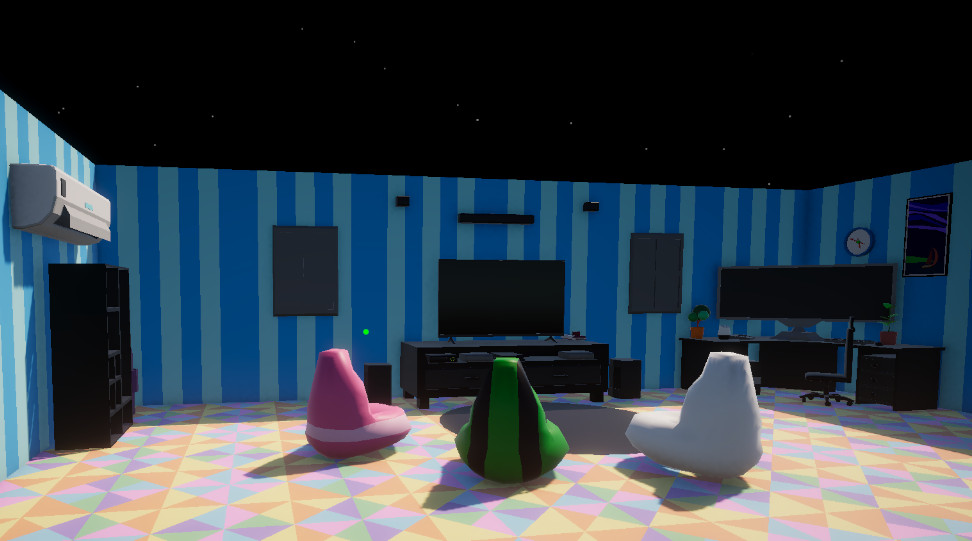
Hub Environment
The central space where the player accesses systems, launches trials, tests weapons, and returns after completing objectives.
- Hub
- Environment
- Trial Access
A modular Unity systems project built to demonstrate professional gameplay architecture: mission flow, weapon trials, save progression, audio routing, input, interaction, UI, player feedback, and reusable C# systems working together inside one connected experience.
Echo Systems Lab is designed as a portfolio-grade systems sandbox rather than a single isolated prototype.
Echo Systems Lab is a first-person Unity project built around a hub-and-trial structure. The player starts in a hub space, interacts with a mission terminal, launches focused gameplay trials, completes objectives, earns progression, and returns to the hub with persistent unlocks.
The goal is to show how individual systems can connect into a larger playable framework. Instead of building one-off scripts for one scene, the project uses reusable data, managers, controllers, UI layers, and feedback systems that can grow across multiple missions and gameplay modes.
The current focus is the Target Range Trial, a weapon-testing environment where each drill can define its own weapon reward, objective rules, timer, target group, completion requirements, and progression behavior.
Build reusable gameplay systems that demonstrate architecture, iteration, player feedback, and feature ownership in Unity.
Hub → Mission Terminal → Target Range Drill → Complete Objective → Save Progress → Unlock Next Trial.
Clear C# structure, data-driven design, scalable systems, readable UI flow, and responsive game feel.
A quick look at the hub, mission flow, target range systems, weapon feedback, settings, and input tools that make up Echo Systems Lab.
The central space where the player accesses systems, launches trials, tests weapons, and returns after completing objectives.
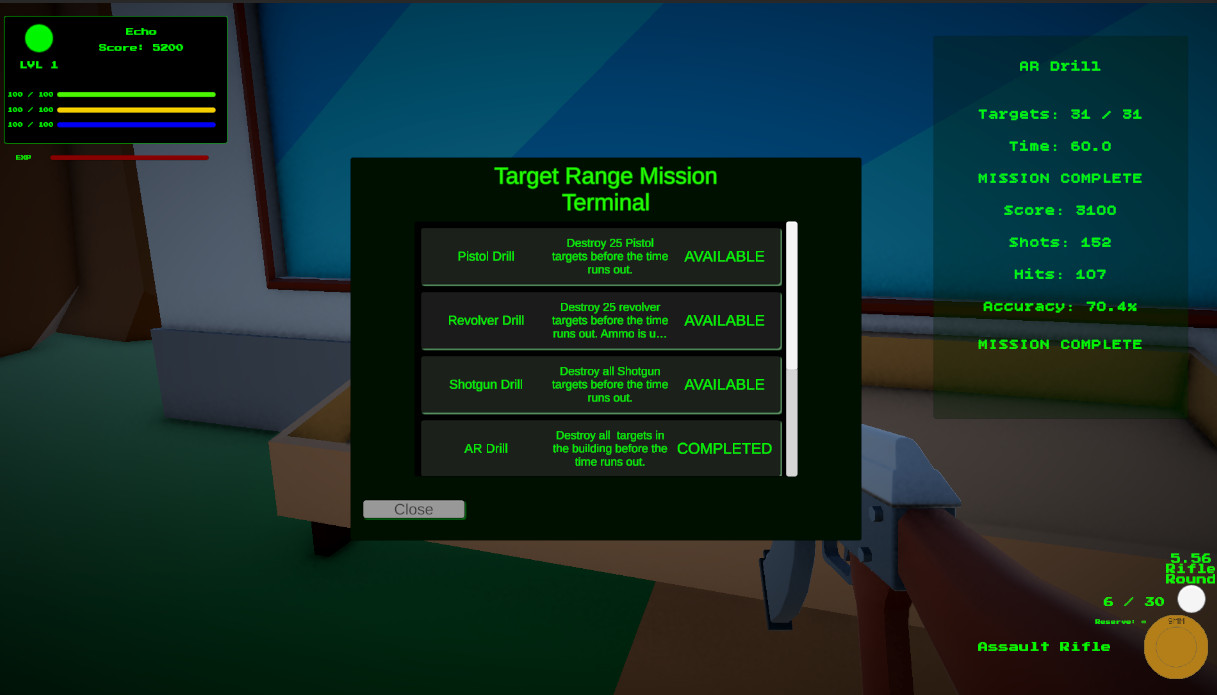
A data-driven mission selection flow where completed trials unlock future drills and keep the hub progression readable.
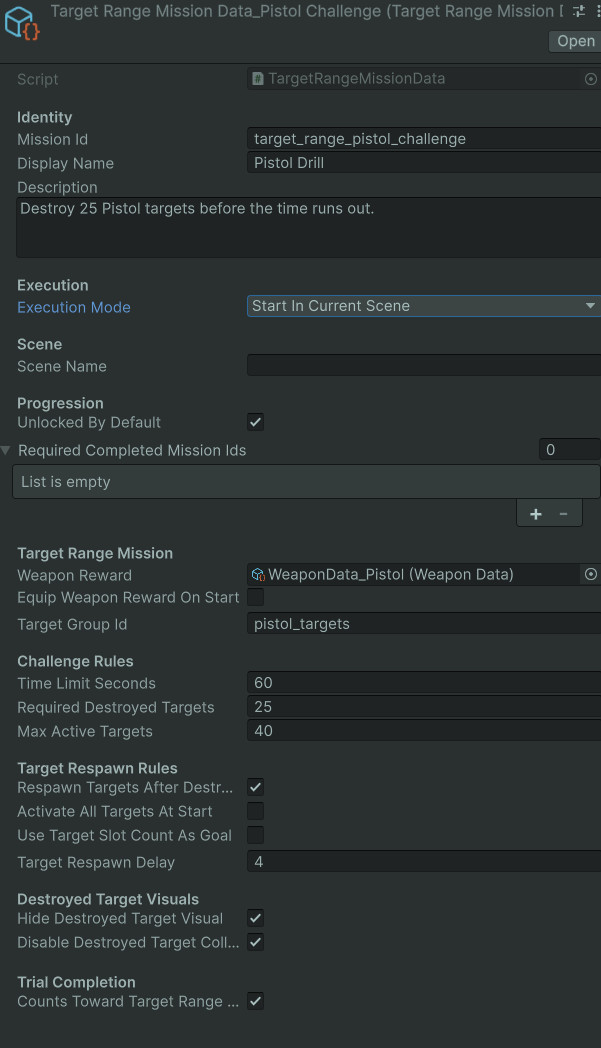
Each drill can define its weapon reward, target group, objective rules, timer, required destroyed targets, and completion behavior.
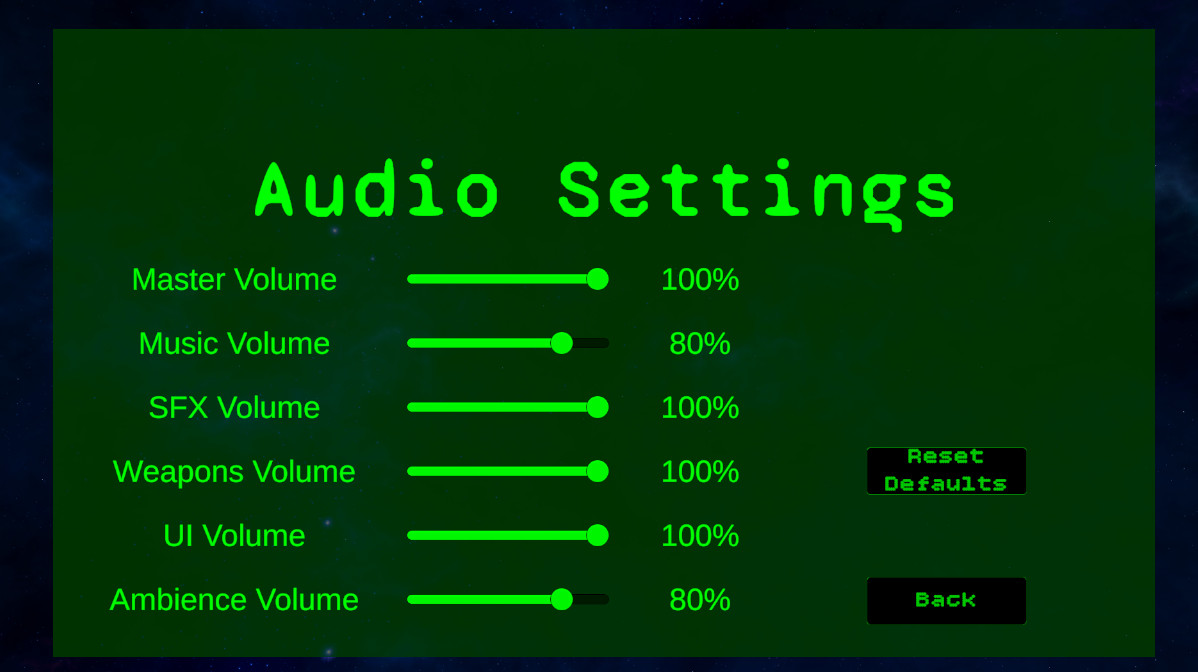
Mixer-backed settings for master, music, SFX, weapons, UI, and ambience volume, tied into reusable audio event systems.
The project is organized around connected systems that can be expanded, reused, and tuned independently.
Mission data, terminal data, unlock requirements, mission buttons, scene loading, current-scene execution, and completed mission tracking.
Runtime mission state, timer logic, targets destroyed, score, shots, hits, accuracy, drill completion, full trial completion, and return-to-hub flow.
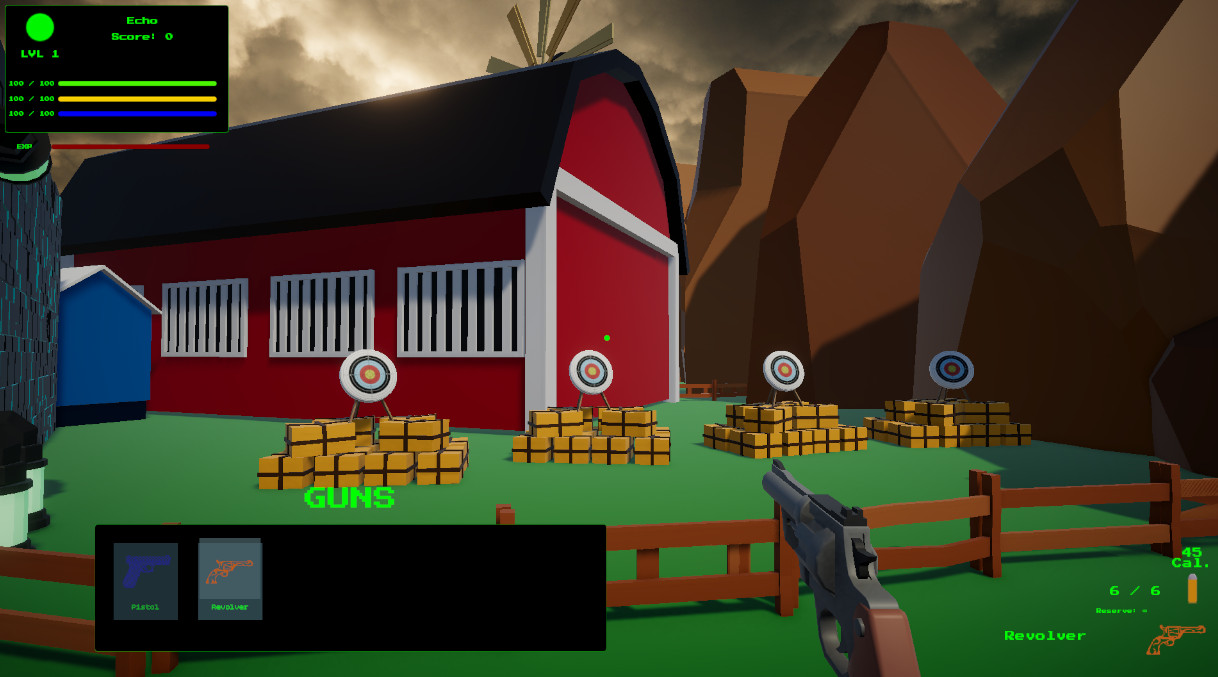
Weapon data, ammo data, view model spawning, projectile patterns, reload modes, empty-fire behavior, owned weapons, temporary mission weapons, and loadout restrictions.
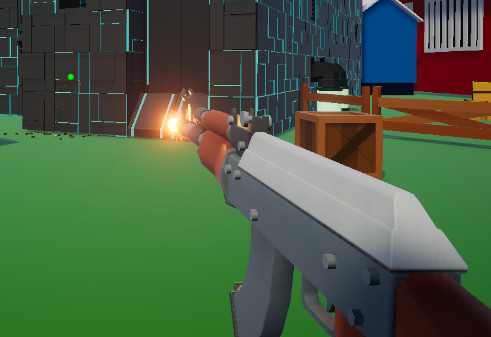
View model kickback, muzzle flash, fire feedback, reticle recoil, passive reticle motion, look sway, movement bob, idle bob, reload hooks, and dry fire feedback.
A refactored audio setup using reusable audio events, weapon audio data, mixer groups, audio settings, UI sounds, ambience, music, and footstep surface data.
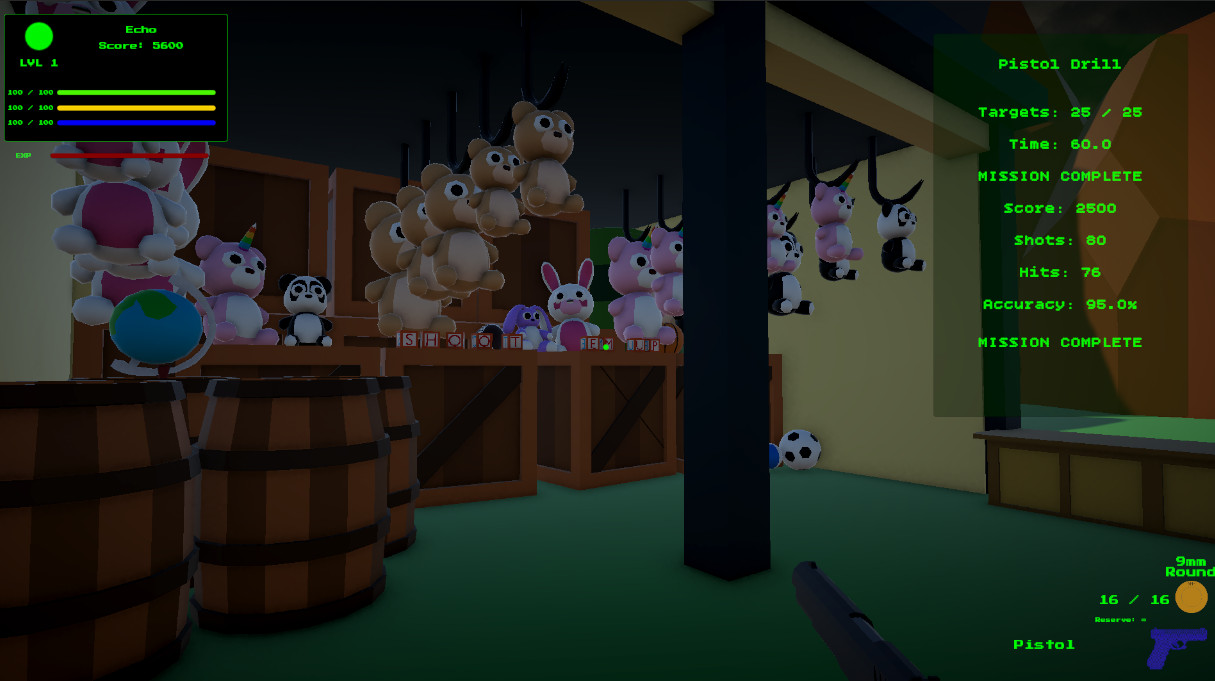
Persistent save data for completed mission IDs, owned weapon IDs, active weapon selection, weapon type XP, last scene data, and unlock flow.
The project separates data, control flow, presentation, and feedback so systems can change without cracking the whole machine open.
Core game rules are stored in ScriptableObjects where possible. Weapons, ammo, handling behavior, audio events, mission definitions, target range drill rules, music tracks, ambience layers, and footstep surfaces can be tuned without rewriting controller code.
The player is split into focused responsibilities. Input reading, movement, interaction, weapon control, weapon loadout, view model feedback, reticle feedback, audio playback, ammo HUD, and footstep audio are handled by separate components.
Weapon firing and reloading are treated as gameplay events that other systems can respond to. That allows view model feedback, reticle feedback, audio, HUD updates, progression, and mission scoring to stay connected without being jammed into one overgrown controller.
Echo Systems Lab is built from real iteration: testing, breaking, refactoring, and turning messy feature growth into cleaner systems.
Unlocked weapons stay in the player collection, but mission drills can temporarily restrict weapon selection so each challenge remains fair and intentional.
Target groups support both respawning drills and destroy-all modes, allowing different challenge types without rebuilding the target framework.
Visual weapon handling was separated into dedicated view model and reticle controllers, allowing recoil, sway, kickback, bob, and feedback to be tuned per weapon.
Weapon and UI sounds were pulled out of gameplay controllers into reusable audio data and audio managers, reducing code clutter and improving routing through the mixer.
This project demonstrates more than individual scripts. It shows how I structure gameplay systems so they can connect, scale, and stay readable.
Echo Systems Lab demonstrates the kind of systems programming I want to keep building professionally: modular components, clear data flow, reusable patterns, meaningful player feedback, and an architecture that can grow.
The strongest part of the project is how the systems work together. Mission data controls available drills. Mission completion updates player progress. Progress unlocks new content. Weapon data controls behavior. Handling data controls feel. Audio data controls feedback. UI listens to runtime state and communicates it clearly.
That connectedness is the point: the project is a small lab, but it is built like a larger game framework waking up.
These pages expand the overview into focused technical write-ups.
Runtime mission state, timers, objective counting, accuracy, scoring, completion, and return-to-hub behavior.
View model kickback, reticle feedback, muzzle flash, fire hooks, reload hooks, sway, bob, and game feel tuning.
AudioEventData, GameAudioManager, WeaponAudioData, MusicManager, ambience, footsteps, UI sounds, and mixer settings.